Windows
10/11 (x64)
All editions
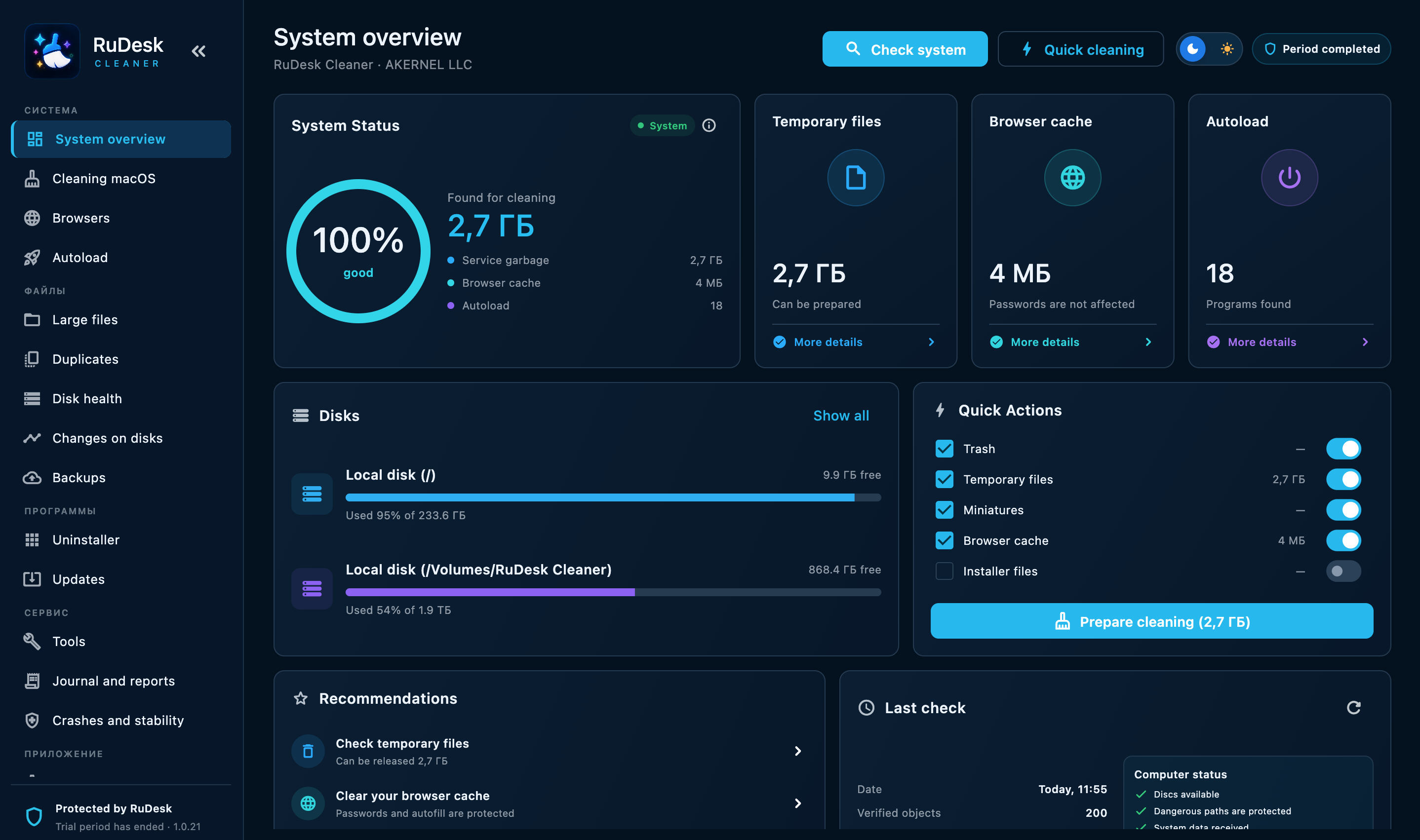
Free up disk space, speed up your system, and monitor your computer in a few clicks.
10/11 (x64)
All editions
12 or later
Intel and Apple Silicon
Ubuntu, Debian, Astra Linux, ALT Linux
Arch Linux — read-only · x86_64
Android 8.0 or later
Smartphones and tablets
Professional tools for stable and fast system performance.
Only verified cleaning and tuning methods, with safe removal of system files.
System optimisation, faster startup, and cleanup of leftovers.
Detailed reports, clear settings, and change history.
An intuitive interface and scheduled tasks that save time.
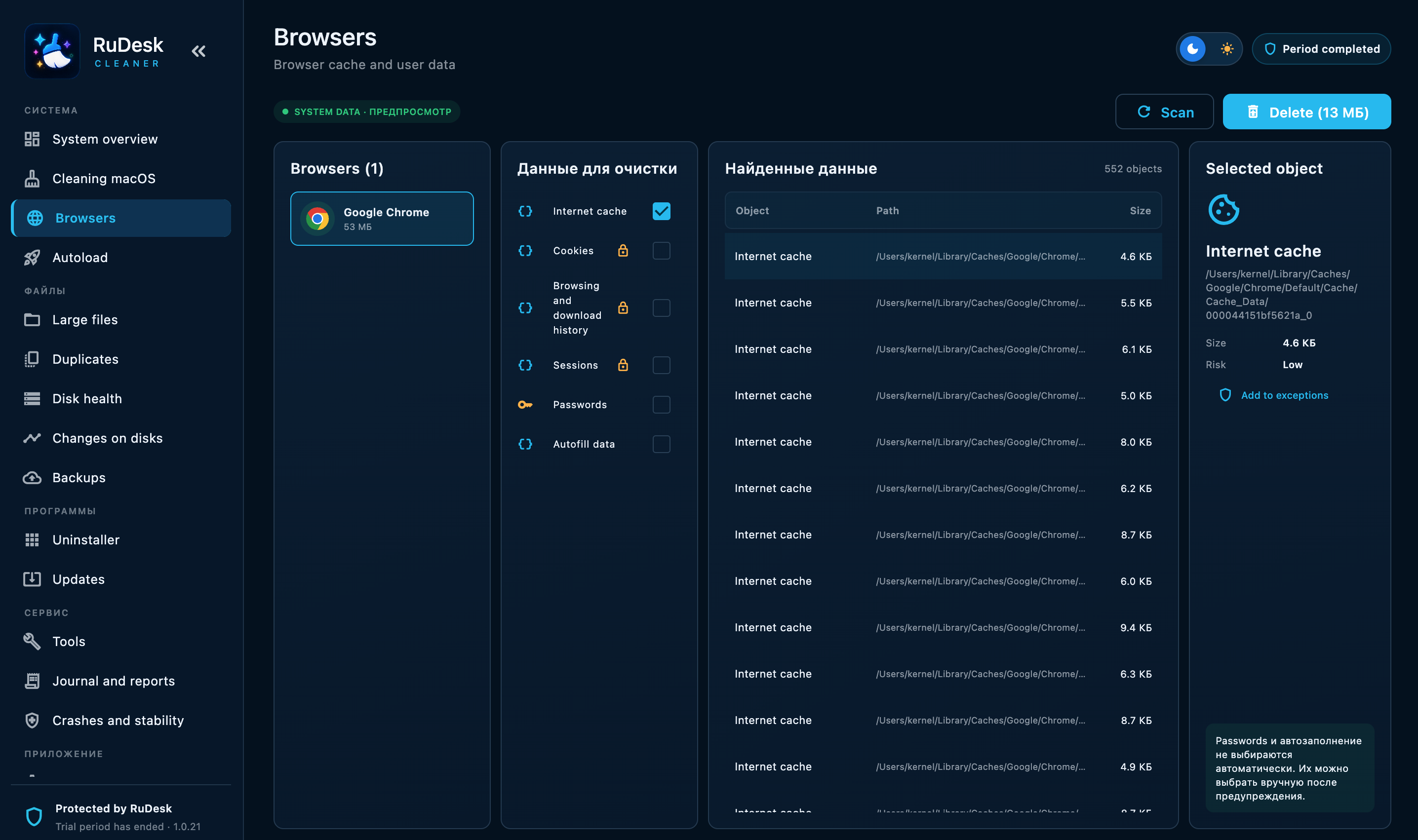
More than file cleanup — a practical maintenance workspace for Windows, macOS, and Linux with a clear cleanup plan before changes are made.
Cleanup plan before changes, re-validation of selected items, and Trash-based recovery where supported.
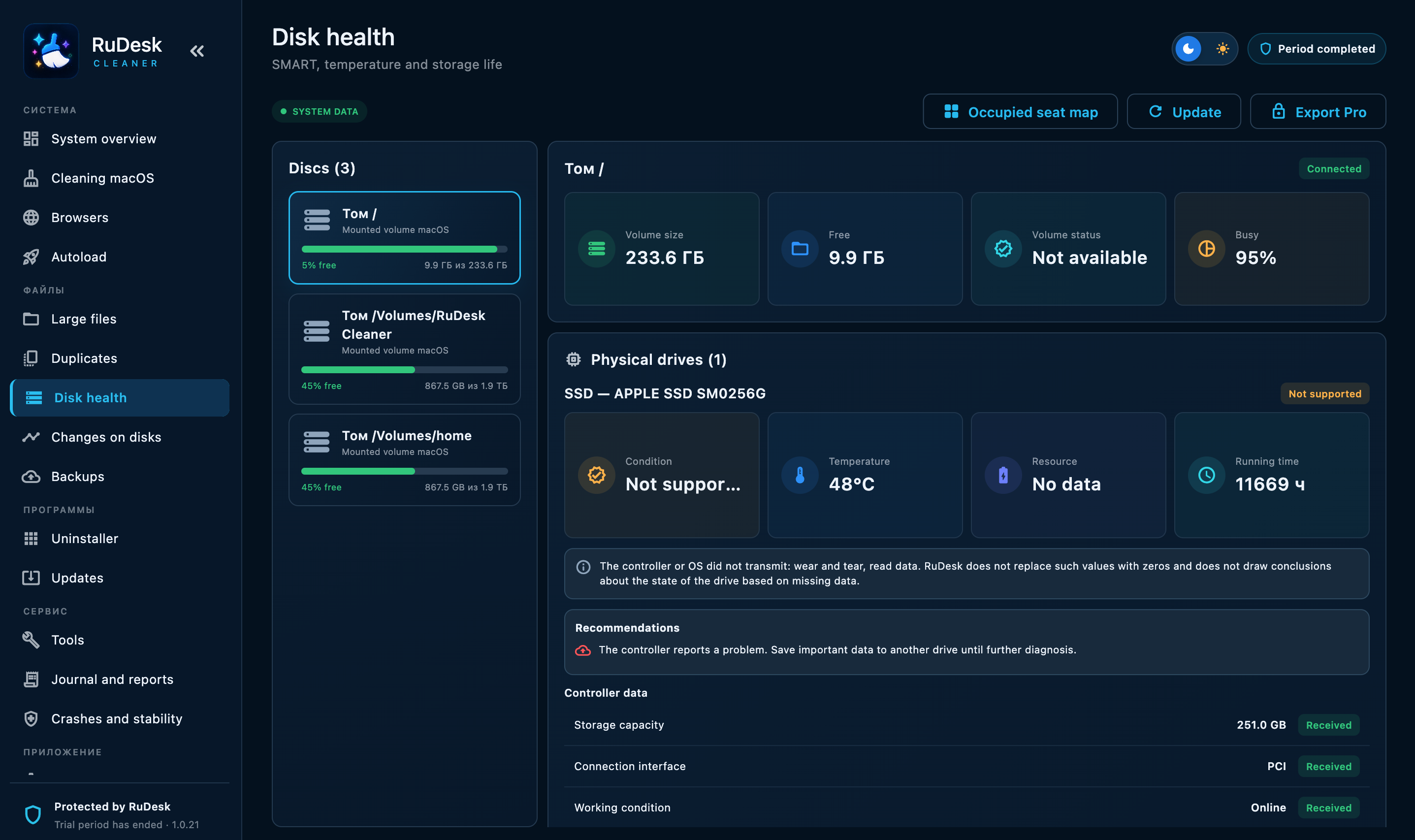
SMART, NVMe, available SSD write metrics, and a native tray or menu bar monitor.
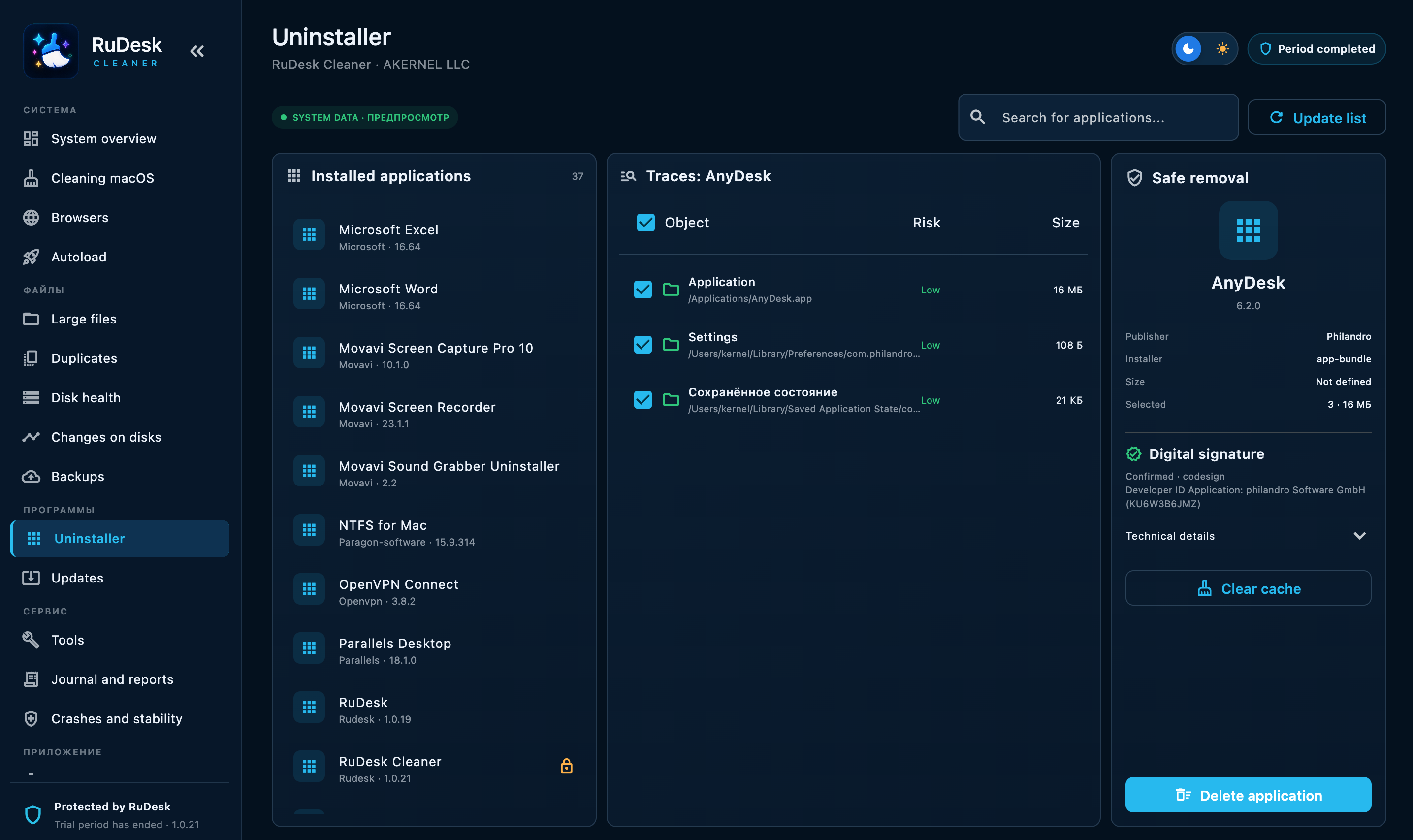
Uninstaller with leftovers, large files, duplicates, disk map, and startup management.
Local operation history, detailed actions, and report export.
| Feature |  RuDesk Cleaner RuDesk Cleaner | CCCCleaner | CMCleanMyMac | BBBleachBit |
|---|---|---|---|---|
| Windows | ✓Yes | ✓Yes | —No | ✓Yes |
| macOS | ✓Yes | ✓Yes | ✓Yes | —No |
| Linux | ✓Yes | —No | —No | ✓Yes |
| Verified cleanup plan | ✓Yes | ◐Partial / platform-dependent | ✓Yes | ✓Yes |
| Move selected files to Trash | ✓Yes | —No | —No | —No |
| Browser cleanup | ✓Yes | ✓Yes | ✓Yes | ✓Yes |
| Uninstaller + leftovers | ✓Yes | ◐Partial / platform-dependent | ✓Yes | —No |
| App updater | ◐Partial / platform-dependent | ◐Partial / platform-dependent | ✓Yes | —No |
| Large files / disk analysis | ✓Yes | ◐Partial / platform-dependent | ✓Yes | —No |
| Duplicate finder | ✓YesSHA-256 | ✓Yes | ✓Yes | —No |
| SMART / NVMe / SSD writes | ◐Partial / platform-dependent | —No | —No | —No |
| Disk space map | ✓Yes | ◐Partial / platform-dependent | ✓Yes | —No |
| System monitor in tray / menu bar | ✓Yes | —No | ✓Yes | —No |
| Operation log and report export | ✓Yes | —No | ◐Partial / platform-dependent | —No |
One product, different approaches. Choose the tool that fits your workflow.
| Feature | RuDesk Cleaner | CCCCleaner | CMCleanMyMac | BBBleachBit |
|---|---|---|---|---|
| Windows | ✓Yes | ✓Yes | —No | ✓Yes |
| macOS | ✓Yes | ✓Yes | ✓Yes | —No |
| Linux | ✓Yes | —No | —No | ✓Yes |
| Verified cleanup plan | ✓Yes | ◐Partial / platform-dependent | ✓Yes | ✓Yes |
| Move selected files to Trash | ✓Yes | —No | —No | —No |
| Browser cleanup | ✓Yes | ✓Yes | ✓Yes | ✓Yes |
| Uninstaller + leftovers | ✓Yes | ◐Partial / platform-dependent | ✓Yes | —No |
| App updater | ◐Partial / platform-dependent | ◐Partial / platform-dependent | ✓Yes | —No |
| Large files / disk analysis | ✓Yes | ◐Partial / platform-dependent | ✓Yes | —No |
| Duplicate finder | ✓YesSHA-256 | ✓Yes | ✓Yes | —No |
| SMART / NVMe / SSD writes | ◐Partial / platform-dependent | —No | —No | —No |
| Disk space map | ✓Yes | ◐Partial / platform-dependent | ✓Yes | —No |
| System monitor in tray / menu bar | ✓Yes | —No | ✓Yes | —No |
| Operation log and report export | ✓Yes | —No | ◐Partial / platform-dependent | —No |
| Disk space history | ◐Partial / platform-dependent | —No | —No | —No |
| Startup management | ✓Yes | ◐Partial / platform-dependent | ✓Yes | —No |
| Application signature inspection | ✓Yes | —No | —No | —No |
| Portable mode | ◐Partial / platform-dependent | —No | —No | ✓Yes |
| Third-party app data cleanup | SoonIn development | ✓Yes | ✓Yes | ✓Yes |
| Browser data by site | SoonIn development | ◐Partial / platform-dependent | ✓Yes | ◐Partial / platform-dependent |
| Developer tools cleanup | ◐Partial / platform-dependent | —No | ✓Yes | ✓Yes |
| Maintenance profiles | SoonIn development | ◐Partial / platform-dependent | —No | ◐Partial / platform-dependent |
| Automation | ◐Partial / platform-dependent | ✓Yes | ◐Partial / platform-dependent | ✓Yes |
| NTFS read/write on macOS | —No | —No | —No | —No |
| Centralized management | SoonIn development | —No | —No | —No |
| Remote maintenance | SoonIn development | —No | —No | —No |
This comparison is based on publicly available product information and the current capabilities of RuDesk Cleaner. Features may vary by version, edition, and platform.
RuDesk Cleaner combines system cleanup, large-file and duplicate discovery, disk maintenance, startup management, and other tools in one application for Windows, macOS, and Linux.
All 16 professional tools are available in demo mode for 7 calendar days, before a plan is paid.
Remove temporary files, cache, and other clutter.
Find and fix issues for stable performance.
Control apps that launch with Windows.
Find and remove identical files and folders.
Remove apps and leftover files.
Detailed information about hardware, software, and system health.
Monitor disk health, SMART data, and SSD condition.
Remove cache, cookies, and history for selected browsers.
Create and manage restore points.
Permanently remove files to prevent recovery.
Tune Windows settings for performance.
Optimise HDDs for faster data access.
Find items taking up the most space.
Check keys and safely prepare fixes.
Clear user activity and history.
Free RAM without closing important tasks.
Windows detected — the matching download is selected. You can choose another option manually.
Choose the right RuDesk Cleaner access option.
Unlock all Cleaner features with a Pro licence: automatic tasks, advanced tools, and priority support.
The trial period lasts seven calendar days.
Full access to Pro features on 1 device for 1 month.
Full access to Pro features on 1 device for 3 months.
Full access to Pro features on 1 device for 6 months.
Full access to Pro features on 1 device for 1 year.
RuDesk Cleaner is for every user and professional.
Keep your PC in good shape in common scenarios, without an administrator.
Convenient tools for diagnosing and maintaining client systems.
Stable performance, startup control, and backups.
Requests via the website or Telegram @rudeskpro.
RuDesk Cleaner helps you decide: it shows scan results first, then performs only the confirmed plan.
Demo only: the website does not scan your device.
A quick overview of safety, compatibility, and licensing.
Download the free version and explore the app’s features.
If you are looking for CCleaner, «CCleaner free», «CCleaner in Russian», «download CCleaner for free», «download CCleaner in Russian», «free Russian CCleaner» or «download CCleaner», consider RuDesk Cleaner — RuDesk Cleaner. It is a standalone app for safe computer cleanup, diagnostics, and maintenance.
RuDesk Cleaner modernizes everyday PC maintenance: before cleanup, it shows every item and lets you manage browser caches, temporary files, startup apps, large files, duplicates, and drive health. It is a more modern choice for users who want a clear interface, control over every action, and support for Windows, macOS, and Linux.
RuDesk Cleaner is distributed through official RuDesk channels. Availability of third-party software, including CCleaner, may vary by country, provider, and local rules; check the current terms in your jurisdiction before using any software.
PC cleanup guide
Follow a review-first checklist for temporary data, large files, duplicates, startup items and disk health.
Read the safe cleanup guideYour OS is detected only as a hint. Downloading starts after you click.
Choose a plan, the number of devices, and your email. Payment is completed on T-Bank’s secure page.
Copy the key and activate it in the app. A copy has also been sent by email.
Press Esc or × to close the gallery.